AS2 Configuration Guide
How to configure AS2 (RFC 4130) exchange: certificates, the AS2 profiles of organizations and partners, the receiver and sender instances, receipts (MDNs) and retries. Routes, file pollers and writers are described in Routing; REST conventions in the API reference.
- How AS2 fits together
- Certificates
- Organization AS2 profile
- Partner AS2 profile
- Receiver and sender instances
- Receipts (MDNs)
- Delivery and retries
- File names and content types
- Example: one partner, both directions
- Troubleshooting
How AS2 fits together
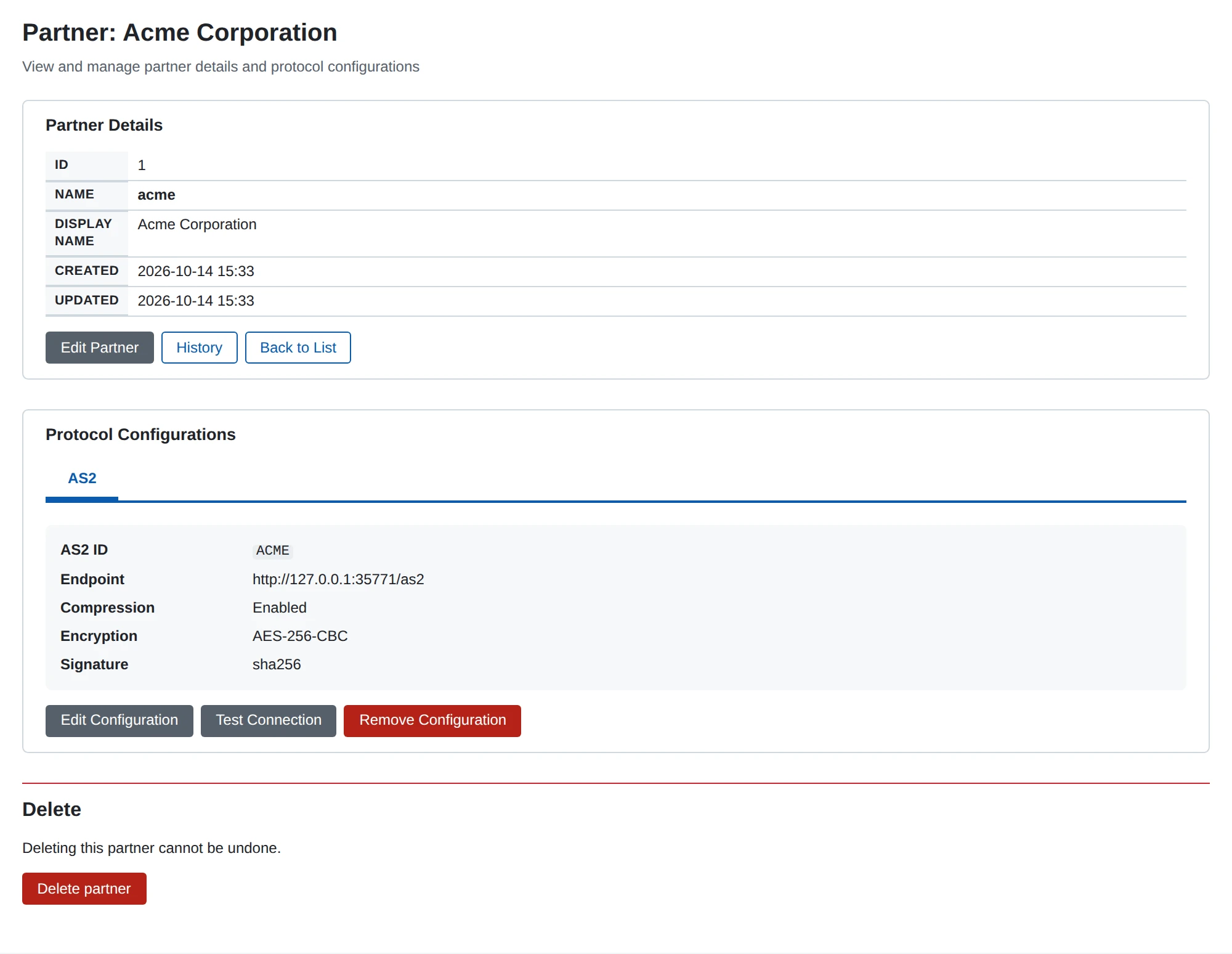
- An organization gets an AS2 profile: its AS2 ID, the certificate it signs with and the certificates partners encrypt to. A business partner gets an AS2 profile: its AS2 ID, its endpoint URL, its certificates and how messages to and from it are secured.
- An AS2 receiver instance listens on its own address, port and path. For each message it finds the organization by
AS2-Toand the partner byAS2-From, keeps the message as received, decrypts, verifies and decompresses it, answers with an MDN when one is requested, and publishes it on<receiver>.<partner>.<organization>. A message for an unknown AS2 ID is refused (with a refusing MDN when one was requested) and not recorded. - An AS2 sender instance receives the messages its routes match, looks up the two profiles by the message’s
fromandtonames, then compresses, signs and encrypts as the partner profile says and POSTs to the partner’s endpoint.
Certificates
Certificates are stored once for the whole application (Certificates in the web UI, /api/v1/certificates in the API) and profiles refer to them. On a partner’s profile the certificates are named after whose they are:
- Our … certificates are ours and must have their private key stored: the signing certificate, the MDN signing certificate, the TLS client certificate. Their pickers only offer certificates with a private key.
- Partner … certificates are the partner’s public certificates. Any stored certificate can be chosen.
Uploading. Upload Certificate (or POST /api/v1/certificates) accepts PEM or DER certificates, PEM bundles of certificates and keys in any order, PKCS#12 (.p12/.pfx, with its password) and PEM or DER private keys (PKCS#8, PKCS#1, SEC1); the format is detected from the content. A key is paired with the certificate that holds its public key. A single certificate with a description is imported at once; anything else (several certificates, a key that matches nothing, no description) leads to a selection step where you choose what to import. Only the description can be changed afterwards.
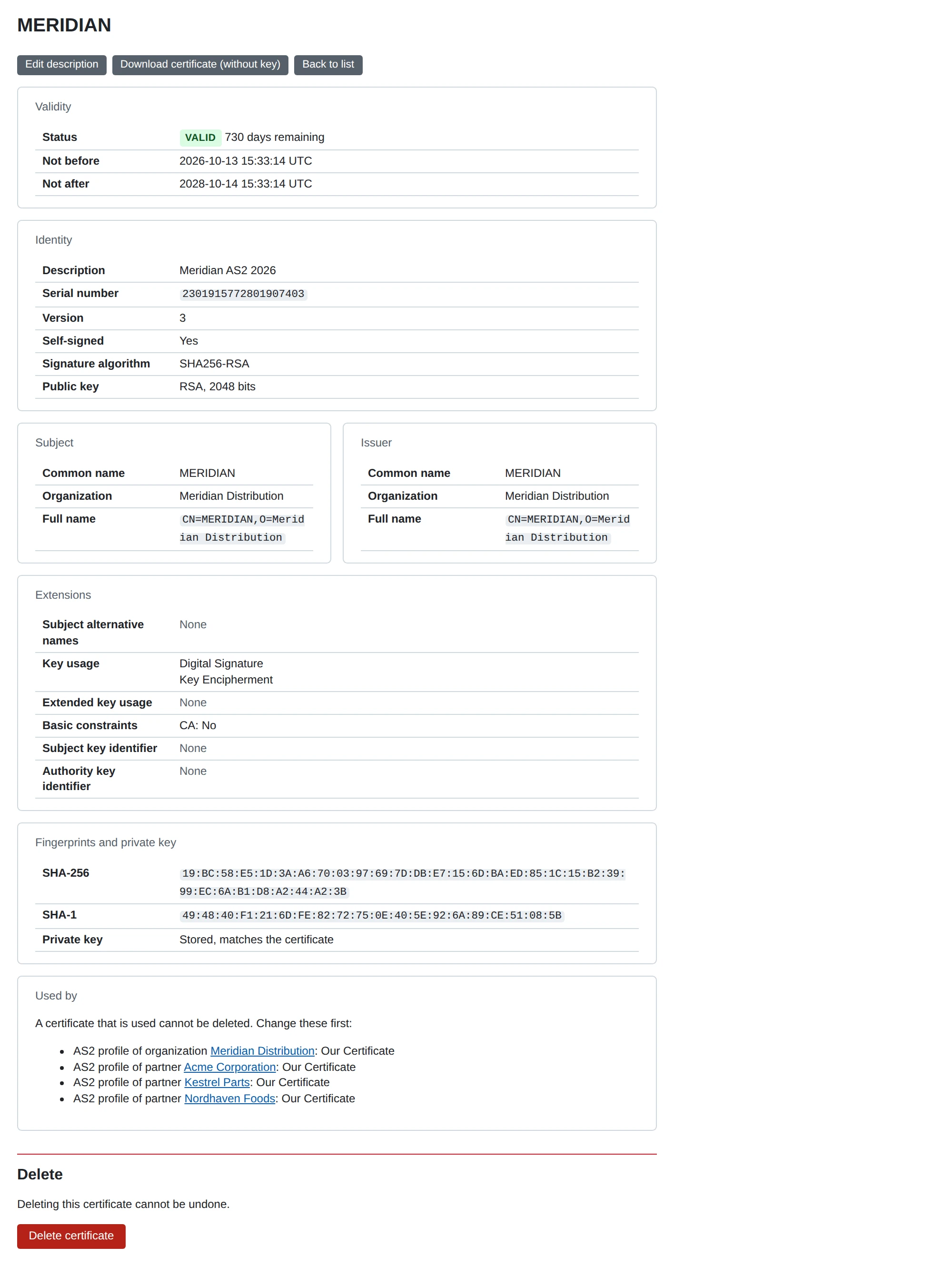
Deleting. A certificate that a profile uses, in any of its certificate fields (an organization’s signing and decryption certificates, every certificate field of a partner’s profile), cannot be deleted: the certificate’s page lists those profiles under Used by, each linked to its edit page with the fields that name the certificate, and Delete (or DELETE /api/v1/certificates/{id}, 409 CERTIFICATE_IN_USE) is refused with a message naming them. Choose another certificate in those profiles first. To replace a certificate, upload the new one, switch the profiles to it, then delete the old one.
Pickers. Every certificate field of a profile form shows the chosen certificates (description, common name, expiry, whether the key is held), each with Remove, and a search box that matches the description, common name, subject, serial number or the start of the SHA-256 fingerprint, offering at most 20 matches.
Expiry. The certificate monitor checks every hour and logs and counts (metric microb2b_certificates_expiry) certificates that have expired or expire within 30 days. The certificate list can be filtered by expiry state and by whether the key is stored; GET /api/v1/certificates/expiring?days=N lists the ones expiring within N days.
Private keys are stored as PEM in the database and never returned by the API. MicroB2B does not encrypt them itself: protect them with encrypted storage for the database.
Test certificates can be made with OpenSSL:
openssl req -x509 -newkey rsa:2048 -nodes -keyout mycompany.key -out mycompany.crt \
  -days 365 -subj "/CN=MYCOMPANY"
Organization AS2 profile
Open the organization and choose Configure AS2, or use /api/v1/as2/local-profiles. The profile’s identity is the organization (local_organization_id).
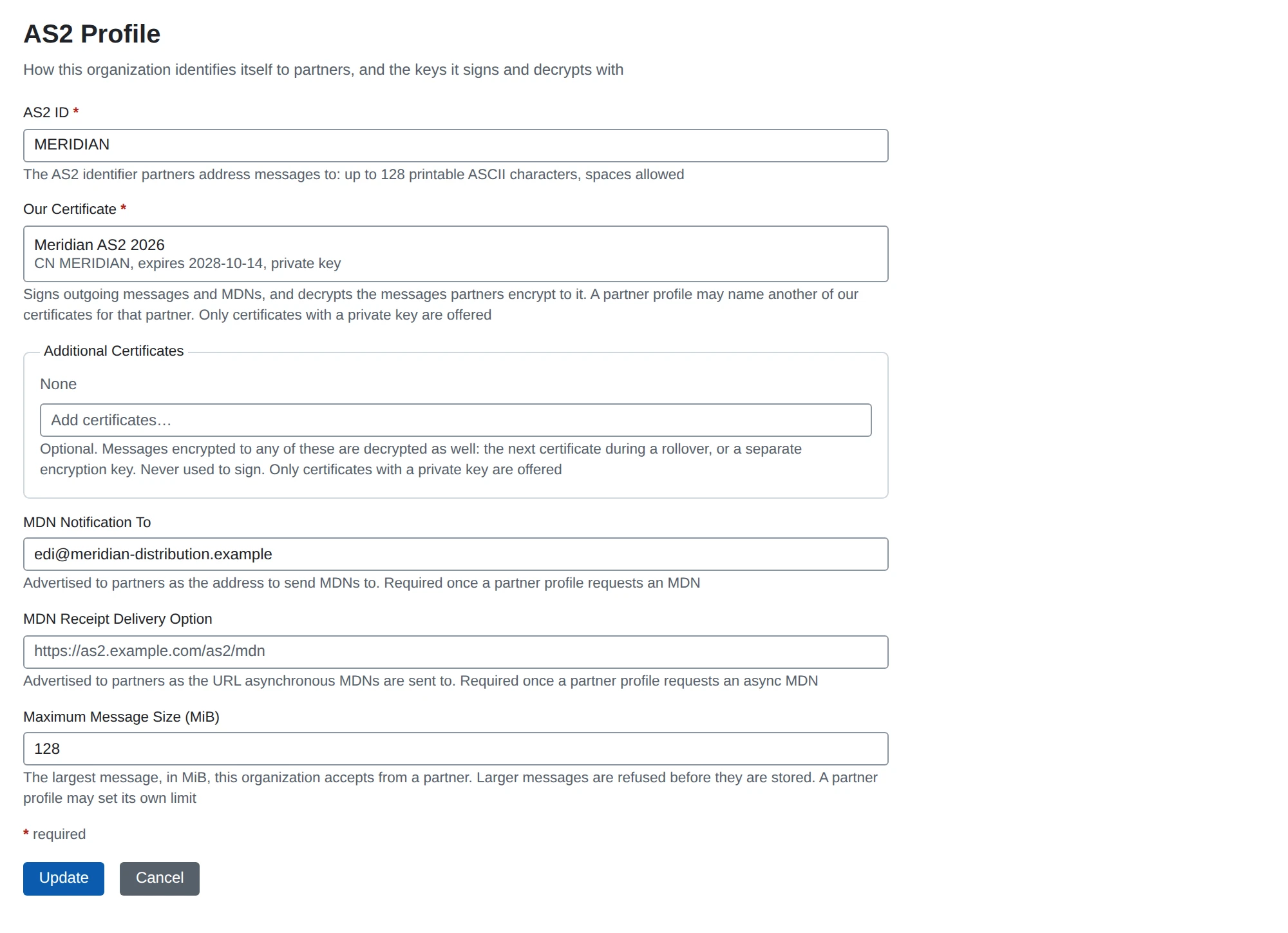
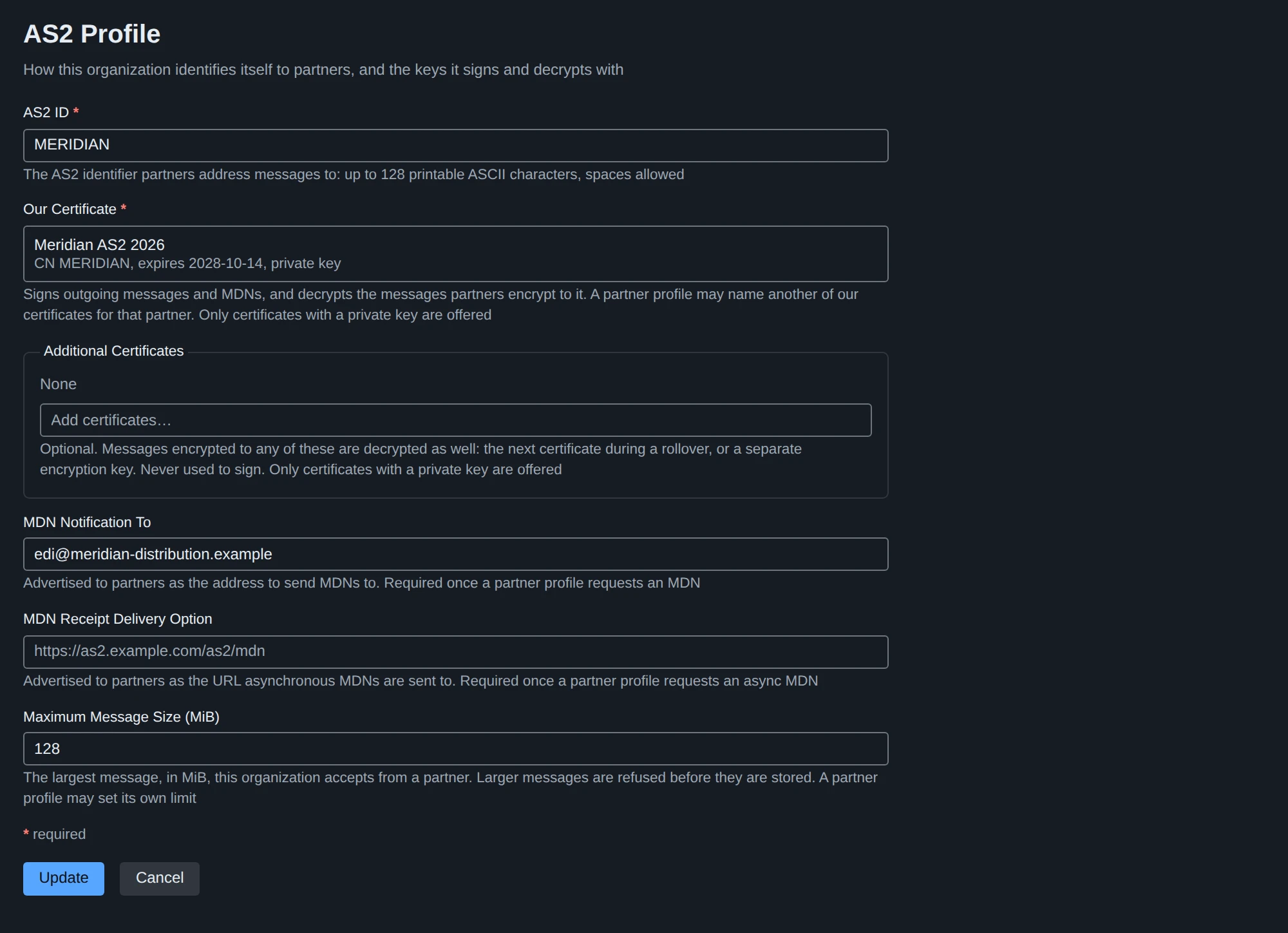
| Field | JSON | Meaning |
|---|---|---|
| AS2 ID | as2id | Required. The identifier partners address messages to (AS2-To of incoming, AS2-From of outgoing messages). See AS2 IDs |
| Our Certificate | certificate_id | Required. Signs outgoing messages and the MDNs we return, and decrypts what partners encrypt to it. A partner profile may name another one (Our Certificate there) |
| Additional Certificates | additional_certificate_ids | Optional. Messages encrypted to any of these are decrypted as well: the next certificate during a rollover, or a separate encryption key. Never used to sign |
| MDN Notification To | mdn_notification_to | Sent to partners as Disposition-Notification-To. Required as soon as a partner profile requests an MDN |
| MDN Receipt Delivery Option | mdn_receipt_delivery_option | The URL partners post asynchronous MDNs to (Receipt-Delivery-Option). Required as soon as a partner profile requests an asynchronous MDN; its path must be the MDN Callback Path of a receiver instance |
| Maximum Message Size (MiB) | max_message_size_mib | The largest message this organization accepts from a partner; 1-2048, default 128 (MiB = 1048576 bytes). A partner profile may set its own (see Message options) |
Our certificates and rollover
One certificate normally does both jobs: it signs what we send and decrypts what partners encrypt to us. A message is decrypted with any of our certificates: the partner profile’s Our Certificate, the organization’s Our Certificate and its Additional Certificates. Only the signing certificate is chosen, per partner: the partner profile’s Our Certificate, else the organization’s.
To replace a certificate without a cut-over date:
- Add the new certificate to the organization’s Additional Certificates. Messages encrypted to it are decrypted from now on; nothing is signed with it yet.
- Send each partner the new public certificate. When a partner has installed it, set Our Certificate on that partner’s profile to the new one: messages and MDNs to that partner are signed with it from then on.
- When every partner has moved, make the new certificate the organization’s Our Certificate, clear the partner overrides and remove the old certificate from Additional Certificates (a certificate a profile still uses cannot be deleted).
Message size
The limit applies to the body of an incoming AS2 message as it is posted (before decryption and decompression) and to the output of each decompression layer, so a small compressed message cannot expand past it. The partner’s limit replaces the organization’s when it is set, whichever is larger. A message over it is refused before anything of it is read into storage or recorded: an MDN processed/error: unexpected-processing-error when a synchronous MDN was requested, HTTP 413 otherwise (an asynchronous MDN is not sent, see Receipts), and a warning in the log. A body whose Content-Length already exceeds the limit is not read at all.
The receiver identifies the sender from the AS2-From and AS2-To headers before it reads the body, so the limit that applies is always known and nothing larger is ever buffered. A message that names no organization or partner profile is refused unread: nothing is stored, no AS2 record is created, and no asynchronous MDN is queued (its URL comes from an unidentified sender). The answer is an MDN (processed/error: unexpected-processing-error for an unknown AS2-To, processed/error: authentication-failed for an unknown AS2-From) when a synchronous MDN was requested and HTTP 400 with a plain-text reason otherwise; the log line names the identifier. A message whose AS2-From is its AS2-To is refused the same way (failed/failure: sender-equals-receiver), and so is one that requires a signed MDN we cannot make (see What our MDNs say). A body also has to arrive in time: a connection that sends nothing for a minute, or takes longer than a minute plus the limit at 32 KiB/s, has its read fail. Asynchronous MDN callbacks are read the same way with a 4 MiB limit, and only after the partner is identified.
There is no placeholder for the two MDN fields: a send that needs one that is empty fails with an error in the log naming the field to set (see Delivery and retries), for example the organization’s AS2 profile “MYCOMPANY” has no MDN Notification To. Set MDN Notification To on the organization’s AS2 profile, or set Request MDN to None on the partner’s AS2 profile.
Partner AS2 profile
Open the partner and choose Configure AS2, or use /api/v1/as2/remote-profiles. The profile’s identity is the partner (business_partner_id). The form is split into sections; Partner and endpoint and Security are always open, the others are collapsed while they hold their defaults. Each section’s title reads “Defaults” or “Customized: …” naming what differs.
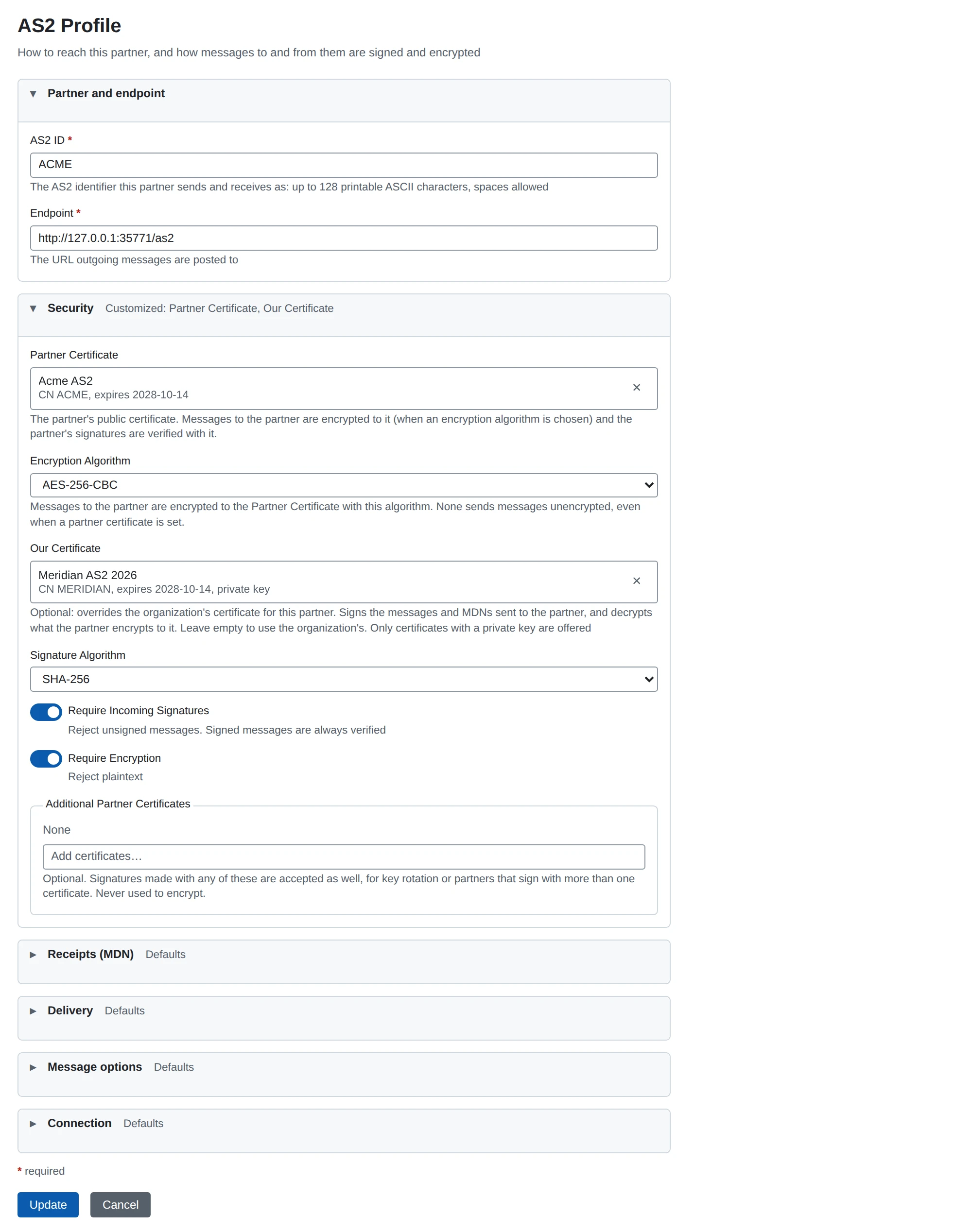
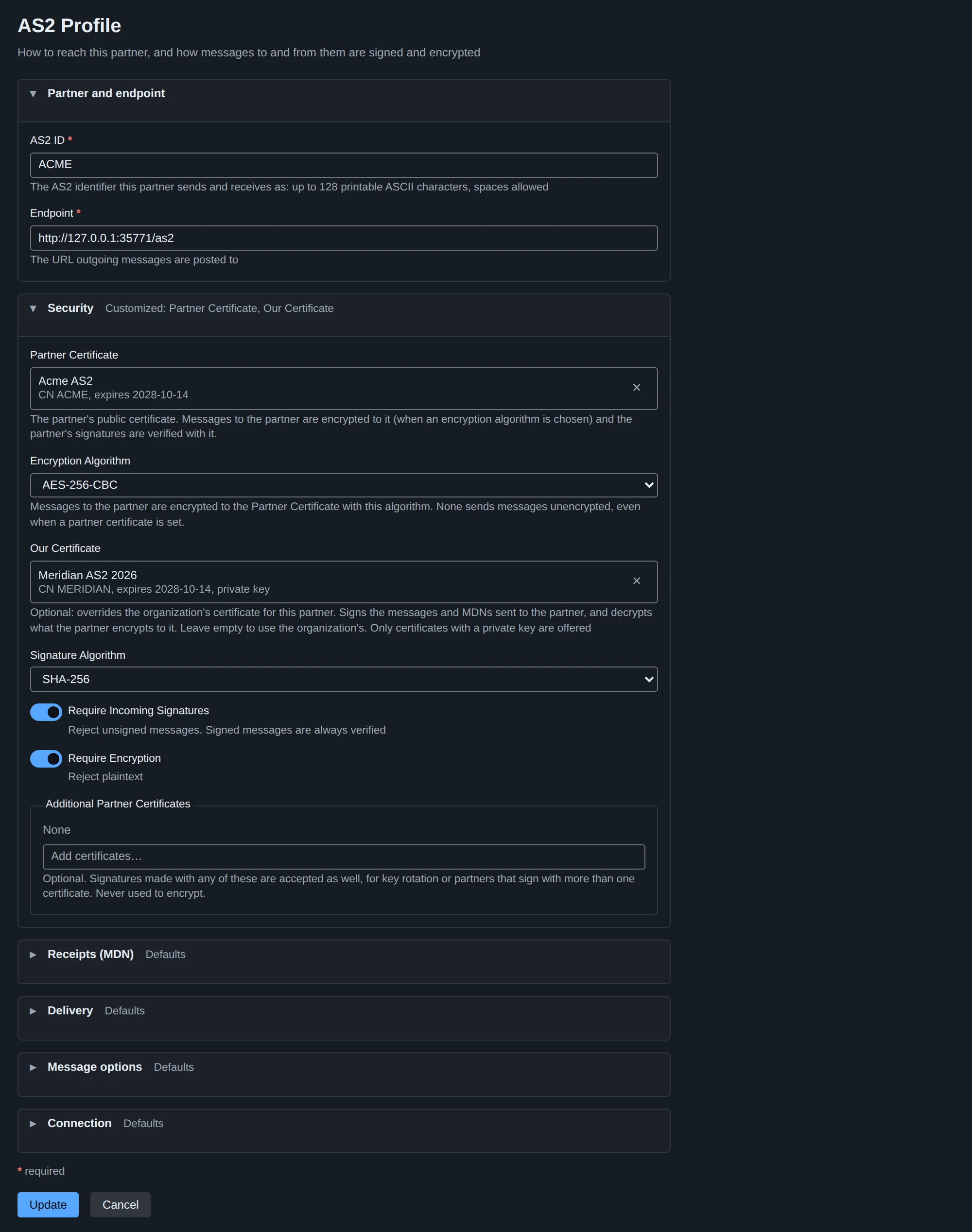
Defaults of a new profile
A new profile starts secure, both on the create form and in a REST create that leaves the property out:
| Field | JSON | Default |
|---|---|---|
| Compress Outgoing Messages | outgoing_message_compression | on |
| Encryption Algorithm | outgoing_message_encryption_algorithm | AES-256-CBC |
| Signature Algorithm | outgoing_message_signing_algorithm | sha256 |
| Require Incoming Signatures | incoming_message_require_signature | on |
| Require Encryption | incoming_message_require_encryption | on |
| Request MDN | outgoing_message_request_mdn | sync |
| MDN Signature Algorithm | outgoing_message_mdn_signature_algorithm | sha256 |
- Encryption needs the Partner Certificate, so a new profile either chooses it or sets the Encryption Algorithm to None; otherwise it is refused on both fields.
- A protection is turned off explicitly: the select’s None entry or an unchecked switch on the form,
""orfalsein a REST body. - Defaults apply only when a profile is created. An edit shows what is stored, and a REST update applies the body to the stored profile, so a property it leaves out keeps its value.
- Requesting an MDN needs the organization’s MDN Notification To (see above).
Partner and endpoint
| Field | JSON | Meaning |
|---|---|---|
| AS2 ID | as2id | Required. The partner’s AS2 identifier. See AS2 IDs |
| Endpoint | endpoint | Required. The URL outgoing messages are posted to |
Security
| Field | JSON | Meaning |
|---|---|---|
| Partner Certificate | partner_certificate_id | The partner’s public certificate. Messages to the partner are encrypted to it (when an algorithm is chosen) and the partner’s signatures are verified with it |
| Encryption Algorithm | outgoing_message_encryption_algorithm | 3DES-CBC, AES-128-CBC, AES-192-CBC, AES-256-CBC, AES-128-GCM, AES-256-GCM, or None. It alone decides whether messages to the partner are encrypted |
| Our Certificate | our_certificate_id | Optional override of the organization’s certificate for this partner: signs the messages and MDNs sent to the partner, and messages from the partner are also decrypted with it |
| Signature Algorithm | outgoing_message_signing_algorithm | sha1, sha256, sha384, sha512, or None (unsigned) |
| Require Incoming Signatures | incoming_message_require_signature | Refuse unsigned messages from the partner. A signed message is always verified; there is no setting to skip that |
| Require Encryption | incoming_message_require_encryption | Refuse unencrypted messages from the partner |
| Additional Partner Certificates | additional_partner_certificate_ids | Further certificates whose signatures are accepted, for key rotation or a partner that signs with more than one certificate. Never used to encrypt |
Encryption rule. An algorithm without a Partner Certificate is refused. A Partner Certificate with the algorithm at None is a valid “verify only” profile: messages go out unencrypted and the partner’s signatures are still verified with the certificate.
Signature forms. An incoming message may be signed as multipart/signed (the signature beside the content, what AS2 senders normally use) or opaquely as application/pkcs7-mime; smime-type=signed-data (the content inside the signature). Both are verified against the same partner certificates, record the same algorithm and give the receipt the MIC of the signed entity. MicroB2B itself always signs with multipart/signed.
MD5 is not supported. It is not offered for signing or for the MDN, and REST refuses md5 for either field: no signature can be made or verified with it. A partner whose message is signed with MD5 is refused with authentication-failed. When a partner asks for a signed receipt with signed-receipt-micalg naming md5, the first algorithm in its list that is supported is used instead, and SHA-1 when none is (the MIC in our MDN then names the algorithm used).
Algorithm names. A partner may name a digest algorithm as RFC 3851 does (sha1, sha256, sha384, sha512) or as RFC 5751 does (sha-1, sha-256, sha-384, sha-512), in any case: both are accepted in signed-receipt-micalg, in the micalg of a signed message and in the Received-content-MIC of a partner’s MDN. Our receipt names its algorithm as the partner named it in its request (its Received-content-MIC and the micalg of its signature). Messages we send, and their receipt requests, use the RFC 3851 names, which AS2 (RFC 4130) is written against. The profile fields and REST take the RFC 3851 names only.
Refused incoming messages. An unsigned or unencrypted message from a partner that requires it is answered with an insufficient-message-security MDN, a signature that does not verify with authentication-failed. A message encrypted with an algorithm outside the list above (DES, RC2, …) is answered with decryption-failed, a signature whose digest algorithm is not one of the signature algorithms above with authentication-failed. The message is kept as received (its headers and received stages) with status Error and the reason, and is not routed.
Receipts (MDN)
| Field | JSON | Meaning |
|---|---|---|
| Request MDN | outgoing_message_request_mdn | sync, async, or None ("") |
| MDN Signature Algorithm | outgoing_message_mdn_signature_algorithm | The algorithm the partner is asked to sign the MDN with and compute its MIC with (sha1, sha256, sha384, sha512), or None for an unsigned MDN |
| Partner MDN Signature Certificates | partner_mdn_certificate_ids | Optional. When set, the partner’s MDNs are verified against only these |
| Receipt Timeout (hours) | receipt_timeout_hours | How long to wait for the partner’s asynchronous receipt (MDN) before the delivery fails; 1 to 720, default 24. A receipt that arrives after that is refused |
| Receipt Delivery Hosts | async_mdn_hosts | Host names (one per line; JSON array of strings), besides the host of the Endpoint, that an asynchronous MDN for this partner’s messages may be delivered to |
| Send Receipts for Signature Failures | async_mdn_on_signature_failure | Off by default. On, a message refused over its signature (it does not verify, or this partner must sign and it did not) is answered with an asynchronous failure MDN as well |
| Send Receipts for Unsigned Messages | async_mdn_for_unsigned | Off by default. On, an unsigned message gets the asynchronous MDN it asked for (a missing signature the profile requires is covered by the option above, not this one) |
Signature verification
The first source that is configured is the only one used; a configured source that does not match refuses the signature rather than falling through to the next.
| Signed by the partner | Verified against |
|---|---|
| Message | The Partner Certificate and the Additional Partner Certificates. With neither, a signed message is refused (authentication-failed) |
| MDN | 1. the Partner MDN Signature Certificates, when set; 2. otherwise the Partner Certificate and the Additional Partner Certificates; 3. with none of these, the signer certificate in the MDN, which must chain to the system trust store |
A partner with one key pair needs only the Partner Certificate.
Delivery
Each field overrides the sending AS2 sender’s setting for this partner. An empty box (stored and sent as 0) inherits; the placeholder says what from.
| Field | JSON | Range | Empty means |
|---|---|---|---|
| Max Delivery Attempts | resend_max_attempts | 0-100 | The sender’s Max Retries + 1 attempts. Counts attempts including the first, so 1 never resends |
| Resend Interval (seconds) | resend_interval_seconds | 0-86400 | The sender’s exponential backoff. A value is a fixed wait between attempts |
| Connection Timeout (seconds) | connection_timeout_seconds | 0-3600 | The sender’s Delivery Timeout |
Message options
| Field | JSON | Meaning |
|---|---|---|
| Maximum Message Size (MiB) | max_message_size_mib | 0-2048. The largest message accepted from this partner; empty (0) uses the organization’s. See Message size |
| Repeated File Names | duplicate_file_name_action | What happens to a message whose file name this partner already sent within the window: Accept ("", the default, no check), Accept with a warning (warn) or Refuse (refuse). See Repeated file names |
| Repeated File Name Window (hours) | duplicate_file_name_window_hours | 0-8760. How long a file name counts as received, from the message accepted with it; empty (0) is 24 hours |
| Subject | subject | Subject header of outgoing messages |
| Compress Outgoing Messages | outgoing_message_compression | ZLIB-compress before signing and encrypting |
| Compress After Signing | outgoing_message_compress_after_signing | Off: the payload is compressed, then signed. On: the payload is signed, then the signed message compressed (RFC 5402 allows both; some partners expect this order). Only for messages that are both compressed and signed; the receipt’s MIC is that of the signed content either way. Incoming messages are read in either order |
| Payload Content Type | outgoing_content_type | Content-Type the payload is sent as; empty sends application/xml |
| Content Type by File Extension | extension_content_types | One .extension = type/subtype per line (array of strings in JSON); see below |
Connection
| Field | JSON | Meaning |
|---|---|---|
| HTTP Basic Username | http_basic_username | Sent as HTTP basic authentication with every message; empty for none |
| HTTP Basic Password | http_basic_password | Required with a username. Never shown or returned once saved; leaving it empty on an edit (or omitting it in a REST update) keeps the stored one, unless the Endpoint changed: then it has to be entered again |
| Additional HTTP Headers | http_headers | One Name: value per line (array of strings in JSON). Host overrides the Host header; headers the AS2 message defines (Content-Type, AS2-*, Authorization, …) and those the transport and the trace context own on every outgoing request (User-Agent, Expect, Proxy-*, Connection, Traceparent, …) are refused. The values are write-only like the password (a header such as X-Partner-Key is a credential): never returned, listed as Name: ******** in the form, kept while that line stays, and to be entered again when the Endpoint changes |
| Partner’s TLS Server Certificates | partner_tls_server_certificate_ids | Trusted in addition to the system trust store when connecting to the endpoint: a private CA, or a self-signed server certificate itself |
| Accept the pinned certificate whatever host it names | accept_pinned_tls_certificate_any_host | Off by default. A server certificate that is exactly one of the Partner’s TLS Server Certificates is accepted without the host name check; needs at least one of them. See below |
| Our TLS Client Certificate | our_tls_client_certificate_id | Presented when the endpoint asks for a client certificate (mutual TLS). None by default; there is no organization-wide fallback |
TLS details: listed certificates are added to the system trust store for this partner only and never replace it; the chain must verify and the server name must match. TLS 1.2 is the minimum. The same trust and client certificate apply to asynchronous MDNs posted to the partner.
A pinned certificate whatever host it names. Some partners serve a certificate that names no host the sender accepts: a self-signed certificate whose only name is a subject CN such as “mendelson test key 3”, without a subject alternative name. Go checks names against subject alternative names only, so such a certificate is refused even when it is listed. “Accept the pinned certificate whatever host it names” accepts it: the certificate the endpoint presents must be byte for byte one of the Partner’s TLS Server Certificates, and valid today; then the host name is not checked, because the pin stands in for it. Its limits:
- It covers only the listed certificates themselves, as the server’s own certificate. A certificate issued by a listed CA, or one that chains to the system trust store, is verified exactly as without the option and must name the endpoint’s host, so a publicly trusted certificate for another host is still refused.
- What is given up: the pinned certificate is accepted at whatever address the endpoint (or a receipt delivery host) points to. Whoever holds its private key can answer as this partner anywhere; that is the trust a pin expresses.
- With an endpoint given as an IP address, a certificate that is not pinned cannot be checked against a host name while the option is on and is refused.
- It needs at least one listed certificate; the form and the REST API refuse it without one. The partner’s page shows “TLS Host Name: Not checked for the pinned certificates” while it is on. It applies to asynchronous MDNs posted to the partner too.
Testing a partner
The partner’s page has a Test Connection button on its AS2 tab (REST: POST /api/v1/as2/remote-profiles/{partner id}/check-connection and .../test-message). Both go through an AS2 sender instance: the one the partner’s routes name, or the only one there is, or the one you choose.
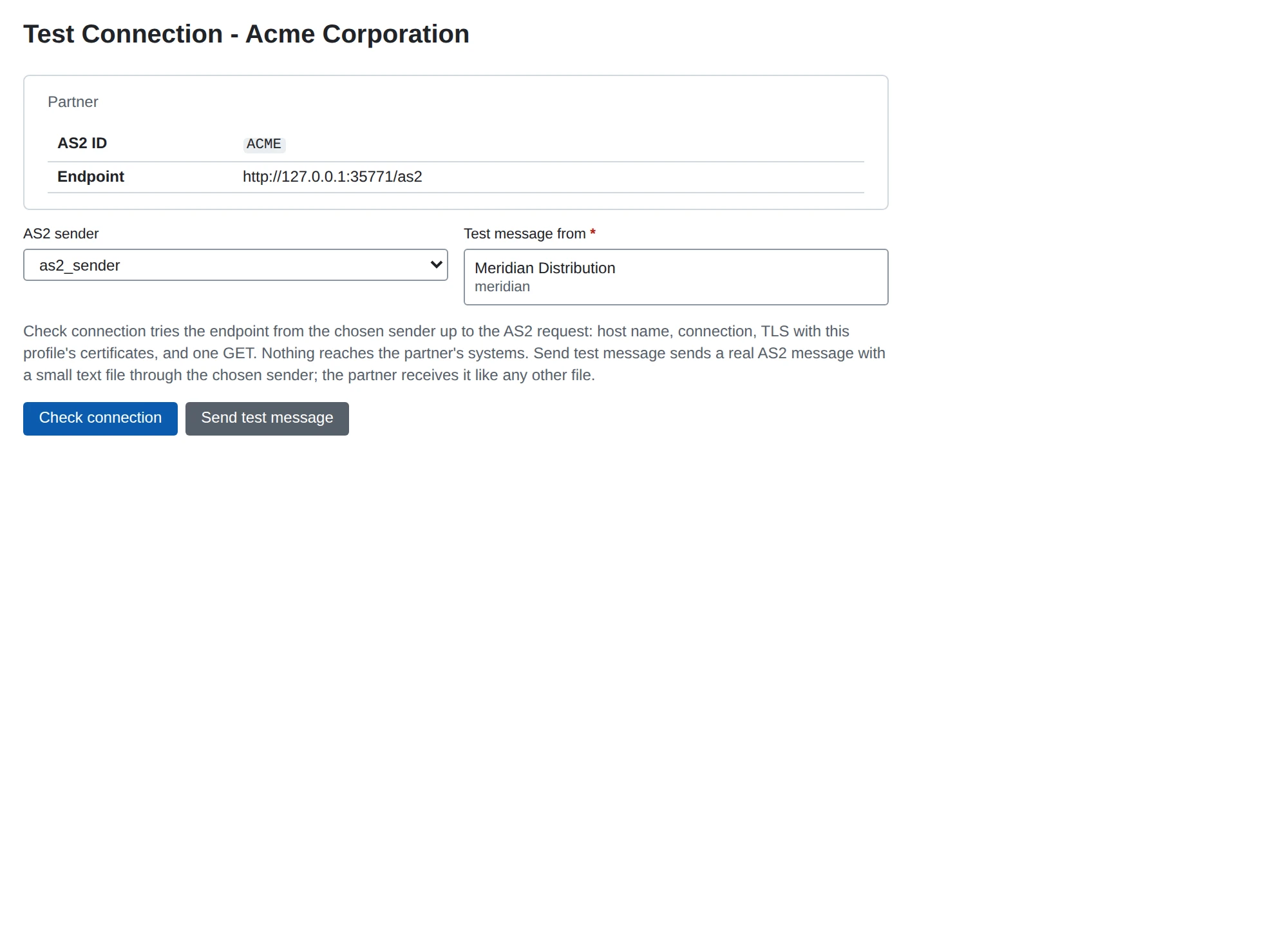
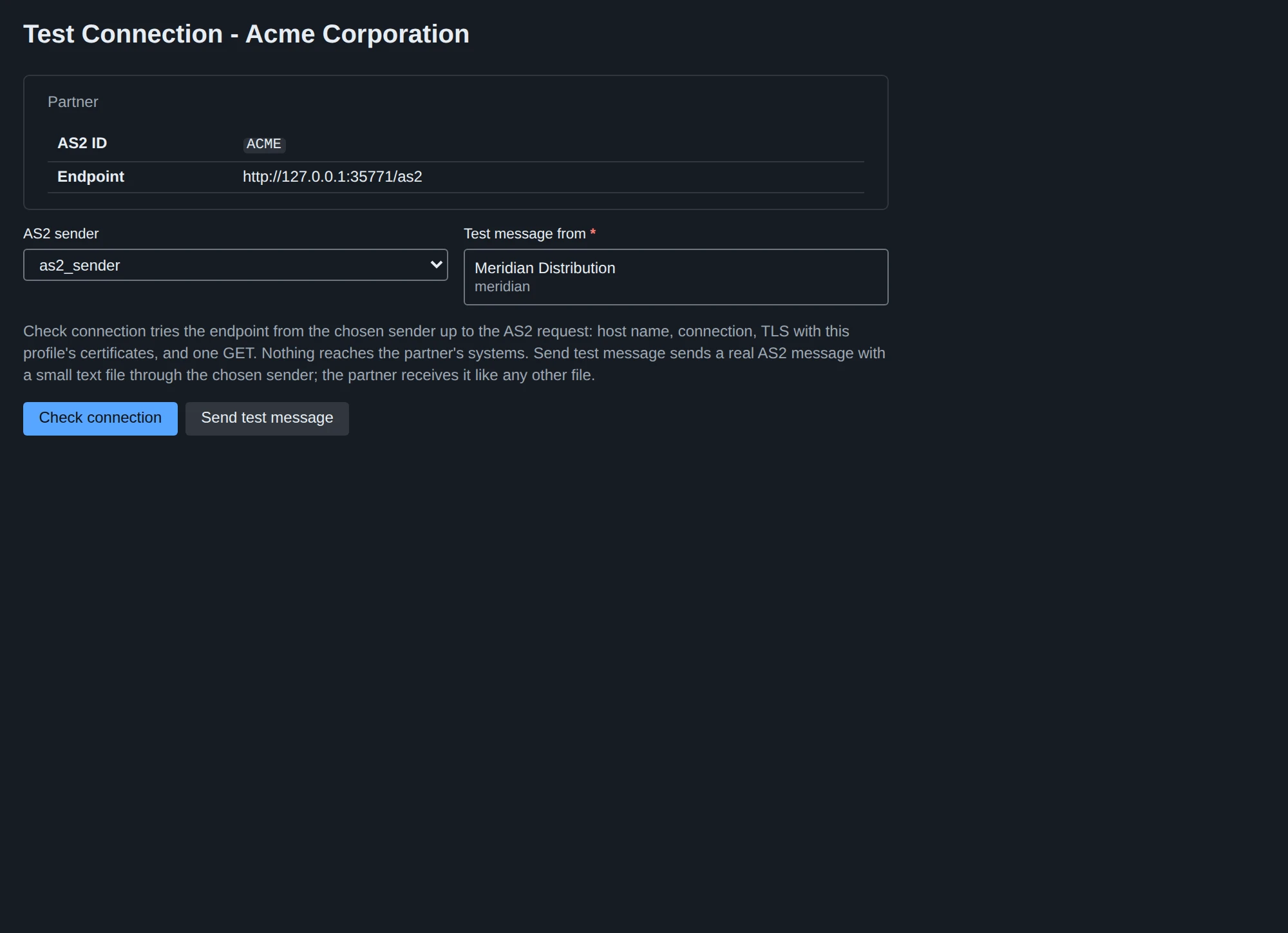
Check connection tries the endpoint the way a send would, up to the AS2 request and without it: the host name lookup, the TCP connection, the TLS handshake with the profile’s own certificates (Partner’s TLS Server Certificates, the pinned-certificate option, Our TLS Client Certificate) and one GET. Nothing reaches the partner’s systems; any HTTP status means the endpoint is reachable (an AS2 endpoint usually answers a GET with 405). The report shows each step, the first failure in plain words (“the server answered without TLS: is this an https:// endpoint on a port that speaks plain HTTP?”, “the presented certificate does not name …”), and the certificate the server presented: its names, fingerprint, whether this profile pins it, whether it chains to a trusted authority and which stored certificate it is. The check runs in the sender’s own process, so in a distributed installation it tests from where messages are sent; a sender that is not running is reported as such (REST: 503 SENDER_NOT_RUNNING). The profile’s HTTP password and header values are not sent with the GET.
Send test message sends a real AS2 message: a small text file, microb2b-test-<message id>.txt, that says it is a connection test, who sent it and when, from the organization you choose (one with an AS2 profile) to the partner. It goes through everything a message goes through (signing, encryption, compression, the POST and the receipt), without a file to drop and without a route. It is an ordinary message afterwards: it appears in the message list with the source @operator, its history names who sent it, it is retried, its receipt settles it, it can be redelivered, and a failure raises an alert like any other. The partner receives it like any other file, which is why the button asks first.
AS2 IDs
An AS2 ID is 1 to 128 printable ASCII characters (RFC 4130 section 6.2): letters, digits, spaces and punctuation, but not " or \, and no space at either end. The form and the REST API refuse anything else. IDs are compared exactly, case and spaces included.
An ID with a space travels as a quoted string: MicroB2B sends AS2-From: "ACME CORP", and writes the MDN’s Original-Recipient and Final-Recipient the same way. Every other ID is sent as it is, since RFC 4130 allows punctuation in an unquoted name. On receipt the quotes of AS2-From and AS2-To are removed before the profiles are looked up, so "ACME CORP" and ACME CORP both find the partner ACME CORP. A header that is no AS2 ID (an unclosed quote, a character outside the set) is refused with HTTP 400 before anything is read or stored.
Receiver and sender instances
Both are created under Plugins in the web UI or with POST /api/v1/plugins/configs?type=as2-receiver / ?type=as2-sender. They start when the process starts (see Routing).
AS2 receiver
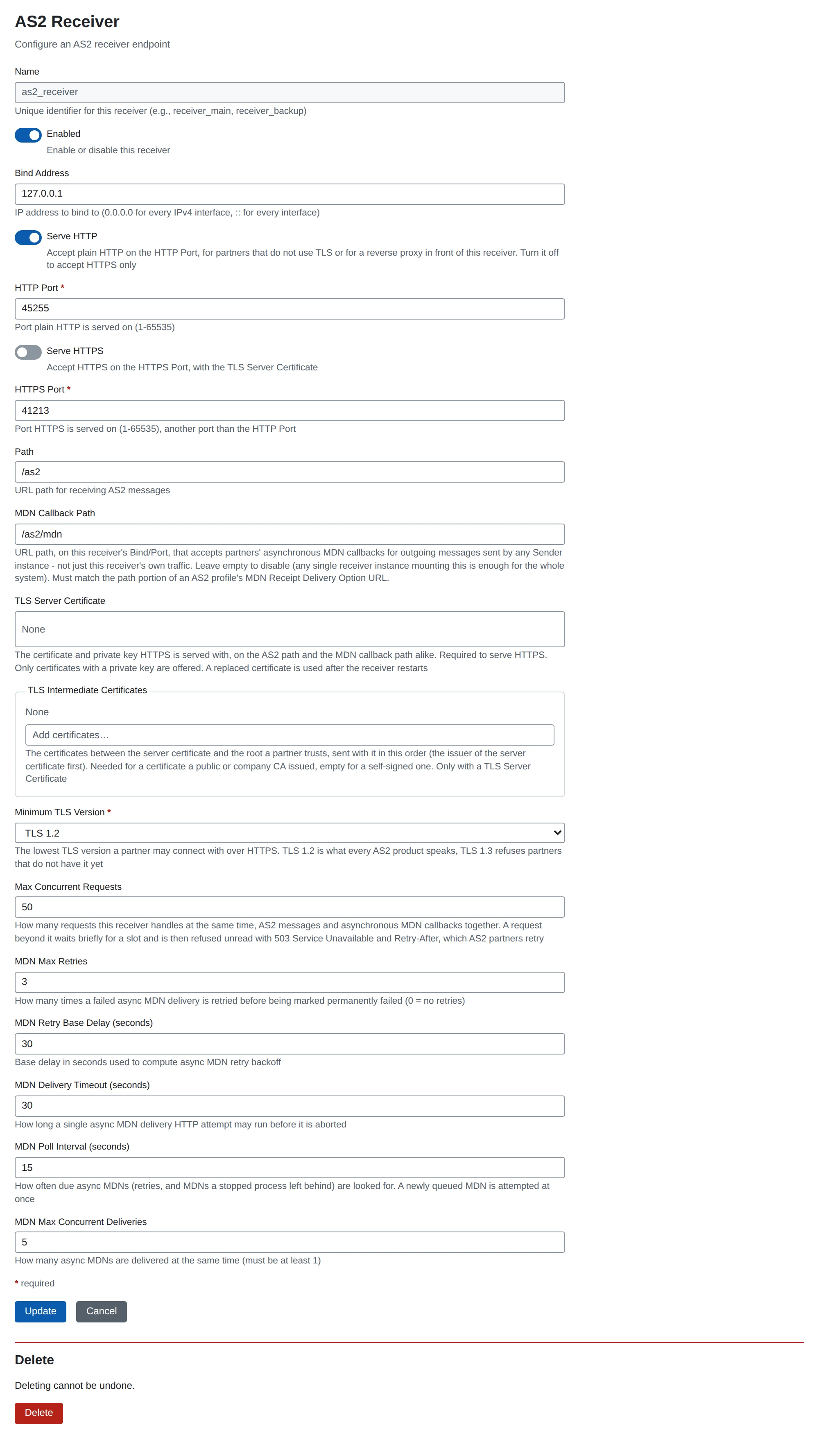
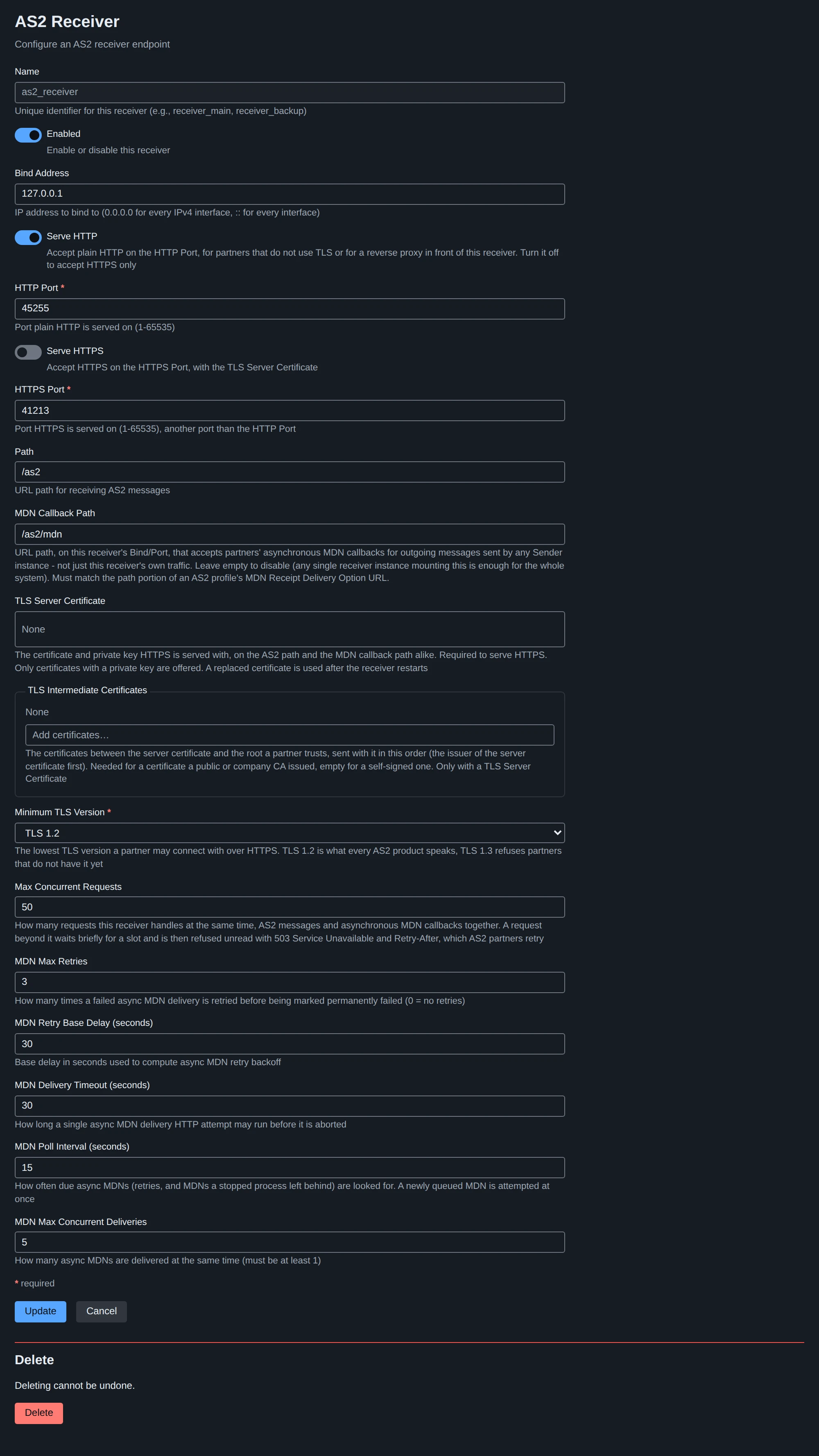
| Field | JSON | Default | Meaning |
|---|---|---|---|
| Name | name | (required) | Instance name, used as the source of routes |
| Enabled | enabled | on | |
| Bind Address | bind | 0.0.0.0 | IP address to listen on: 0.0.0.0 every IPv4 interface, :: every interface, IPv6 addresses as written (::1) |
| Serve HTTP | http_enabled | on | Serve plain HTTP on the HTTP Port. Off for a receiver that accepts HTTPS only |
| HTTP Port | port | 8081 | Port plain HTTP is served on (a string in JSON). The API server’s default HTTP_PORT is 8080, so a receiver in the same process needs another port |
| Serve HTTPS | https_enabled | off | Serve HTTPS on the HTTPS Port with the TLS Server Certificate. At least one of Serve HTTP and Serve HTTPS is on |
| HTTPS Port | https_port | 8443 | Port HTTPS is served on; another than the HTTP Port when both are served |
| Path | path | /as2 | URL path AS2 messages are posted to |
| MDN Callback Path | mdn_callback_path | (empty) | Path on the same listener that accepts partners’ asynchronous MDNs for messages sent by any sender instance. One receiver mounting it serves the whole system; empty mounts nothing |
| TLS Server Certificate | tls_certificate_id | (none) | A stored certificate with its private key that HTTPS is served with, on the Path and the MDN Callback Path; required to serve HTTPS (see HTTP, TLS and CORS). Read at start: a replaced certificate is used after a restart |
| TLS Intermediate Certificates | tls_intermediate_certificate_ids | (none) | Sent after the server certificate, in this order: the chain to the root partners trust. Only with a TLS Server Certificate |
| Minimum TLS Version | min_tls_version | 1.2 | 1.2 or 1.3: the lowest TLS version a partner may connect with over HTTPS |
| Max Concurrent Requests | max_concurrent_requests | 50 | Requests handled at the same time, on the Path and the MDN Callback Path together; 1-1000 (see Concurrent requests) |
| MDN Max Retries | mdn_max_retries | 3 | Retries of an asynchronous MDN we deliver to a partner |
| MDN Retry Base Delay (seconds) | mdn_retry_base_delay | 30 | Base of the exponential backoff of those retries |
| MDN Delivery Timeout (seconds) | mdn_delivery_timeout | 30 | Limit of one delivery attempt |
| MDN Poll Interval (seconds) | mdn_poll_interval | 15 | How often due asynchronous MDNs are looked for. A new MDN is attempted as soon as it is queued; the poll finds retries that have come due and MDNs another process left behind |
| MDN Max Concurrent Deliveries | mdn_max_concurrent_deliveries | 5 | Asynchronous MDNs delivered at the same time |
Concurrent requests
Each receiver instance handles at most Max Concurrent Requests requests at the same time; AS2 messages and asynchronous MDN callbacks share that budget, because both read their bodies into the same process and write to the same database. A request takes its slot before anything of it is read. One that finds every slot taken waits up to 2 seconds for one; then it is refused unread with 503 Service Unavailable and Retry-After: 30. A refused request creates no message, stores nothing and gets no MDN (a message that was not read cannot be acknowledged); AS2 partners resend on a 503 as they do on any temporary failure.
The default of 50 is generous: the database and the processing behind the receiver usually slow requests down before that many are in flight. The cap is what keeps a burst from making the process read and hold an unbounded number of bodies at once (each up to the message size limit). Refusals are logged as a warning at most once a minute per receiver, with the number refused since the last line, and an informational line says when the receiver has room again. The metrics microb2b_inbound_requests_in_flight and microb2b_inbound_requests_refused_total (attributes protocol and instance) show how close a receiver runs to its cap.
AS2 sender
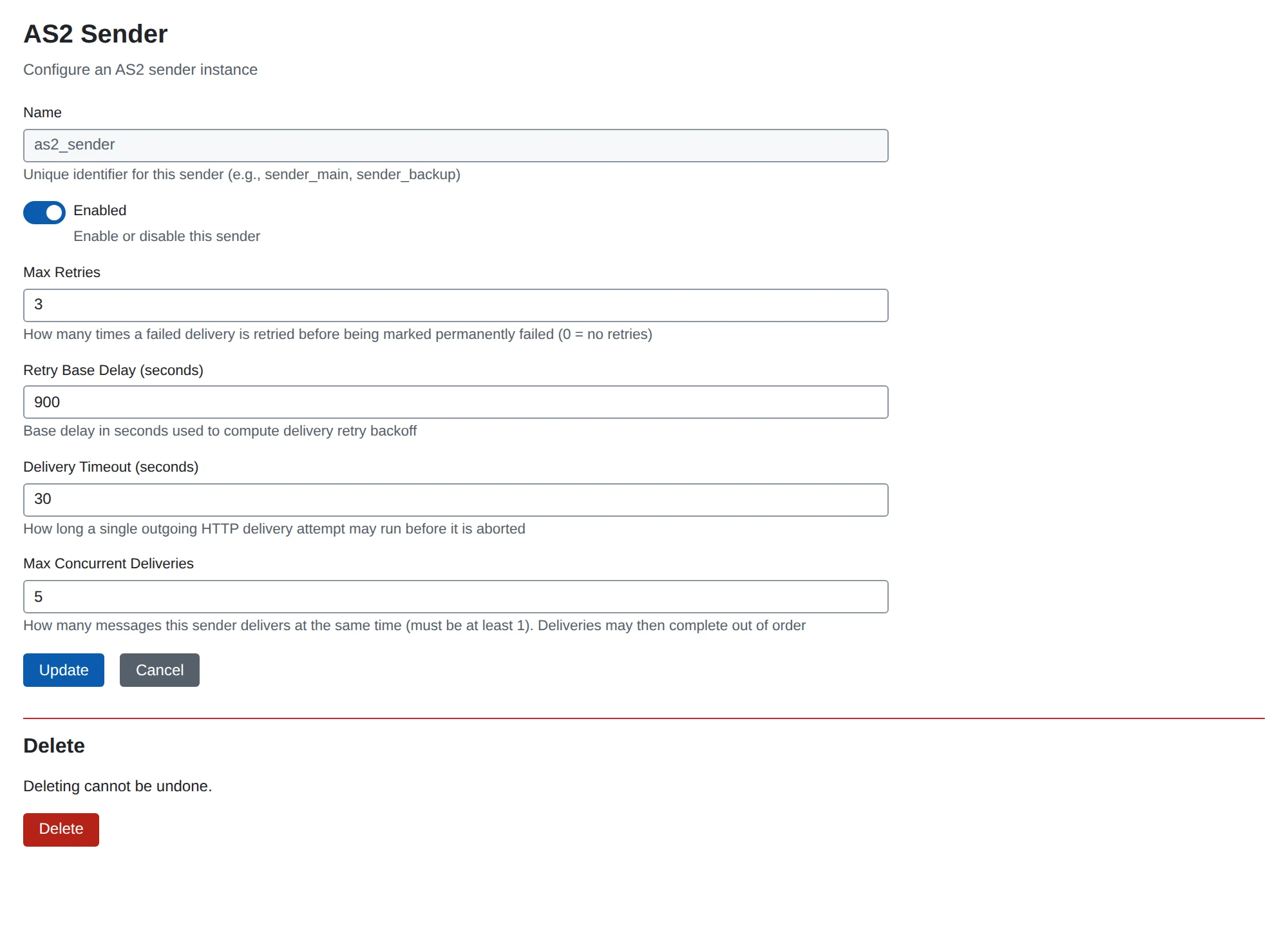
| Field | JSON | Default | Meaning |
|---|---|---|---|
| Name | name | (required) | Instance name, used as the target of routes |
| Enabled | enabled | on | |
| Max Retries | max_retries | 3 | Retries after a failed delivery before the message is Error |
| Retry Base Delay (seconds) | retry_base_delay | 30 | Base of the exponential backoff |
| Delivery Timeout (seconds) | delivery_timeout | 30 | Limit of one HTTP attempt |
| Max Concurrent Deliveries | max_concurrent_deliveries | 5 | Messages delivered at the same time, across all of the sender’s routes (1 to 100). With more than one, messages of one partner may complete out of order |
How MicroB2B names itself
Every AS2 request MicroB2B sends (messages and asynchronous MDNs) carries AS2-Version: 1.2 (compression is supported) and User-Agent: MicroB2B/<version>, and a Date (RFC 4130): a message the time of the attempt that sends it (a resend is rebuilt, re-signed and dated anew), an asynchronous MDN the time it was composed (every attempt posts the same stored MDN), a synchronous MDN the time of the answer. An operator’s extra headers cannot set it, and every answer of an AS2 receiver (a synchronous MDN, a refusal, a 503 for want of a slot) carries Server: MicroB2B/<version>, so a partner’s log says what it talked to. Every MDN we send also names it in its Reporting-UA field (RFC 3798), the one place AS2 itself names the software: Reporting-UA: <our AS2 ID>; MicroB2B/<version>, inside the signed receipt. System > Settings > Identification > Hide the version makes all three MicroB2B; like every setting it takes effect when the processes restart. A repeat answered with a stored receipt carries the Server of the answer it is, not of the first one. The other way round, the Reporting-UA of a partner’s MDN is recorded when the MDN is authenticated and understood, and shown as Partner software in the AS2 section of an outgoing message’s page (protocols.as2.mdn.reporting_ua in the REST message detail): often the only place a partner names its software and version. Control characters in it become spaces and it is cut to 256 bytes.
Optional features (EDIINT-Features)
AS2-Version: 1.2 adds the EDIINT-Features header (RFC 6017), in which each side lists the optional AS2 features it implements. MicroB2B sends it on every message, every asynchronous MDN and every answer of a receiver (a synchronous MDN included), listing exactly the features it implements; the list comes from one table in the code (featureTable in internal/protocol/as2/features.go), so the header cannot claim a feature that is not there. MicroB2B knows multiple-attachments, CEM (certificate exchange) and AS2-Reliability and implements none of them yet, so the header is left out: RFC 6017 gives it at least one feature. A repeat answered with a stored receipt carries the header of this answer, not of the first one.
What a partner announces is recorded and shown as Partner features in the AS2 section of the message page (protocols.as2.partner_features in the REST message detail): for a message we received, the header of the message; for one we sent, the header of the partner’s MDN, recorded once the MDN is authenticated and understood. A known feature is shown in its registered spelling, any other as the partner wrote it; names that are not names (spaces, punctuation) are left out, each feature appears once and at most 16 are kept. “none announced” means the partner sent no header; not known that there is nothing to read it from yet (a message we sent whose MDN has not arrived). MicroB2B never changes what it does because of what a partner announces: the header is unsigned, and a feature that depends on the partner is a choice in its profile.
Receipts (MDNs)
Requesting an MDN from a partner
- Synchronous (
sync): the MDN comes back in the response to our POST. The message isDeliveredonce it is accepted, orErrorwith the reason. - Asynchronous (
async): the message carriesReceipt-Delivery-Option(the organization’s MDN Receipt Delivery Option) and becomesAwaiting receiptonce the partner has accepted the POST. The partner posts the MDN to a receiver’s MDN Callback Path, which ends the message asDeliveredorError. - None: the message is
Deliveredas soon as the partner answers the POST with a 2xx status.
Every MDN, synchronous or asynchronous, is judged the same way. It must name the message we sent (Original-Message-ID); it must be signed when a signed receipt was requested, and a signature must verify (verification); its disposition must be processed; and its Received-content-MIC must equal the MIC of what was sent. The MIC is mandatory only when a signed receipt was requested, but a MIC the MDN carries is always compared.
The asynchronous callback in addition refuses, without changing the message: an MDN for an unknown message or one that asked for no asynchronous MDN (404), one whose AS2-From is not the partner the message went to or whose AS2-To is not the sending organization (400), and one that is not an MDN or whose signature is missing or does not verify (400). A verified MDN is acknowledged with 200: a correct one marks the message Delivered whatever its status, one that does not confirm delivery marks it Error unless it is already Delivered or Error. A duplicate changes nothing. Every MDN received, accepted or refused, is a line in the message history.
Answering a partner’s MDN request
When a partner asks for an MDN, the receiver returns one, signed when a signed receipt is requested (with the partner profile’s Our Certificate, else the organization’s). For an asynchronous request the receiver answers the POST with an empty 200 OK and queues the MDN for delivery to the partner’s Receipt-Delivery-Option URL. The URL is the sender’s to name, so two rules keep it from aiming this server at an arbitrary address. The URL must be an http or https URL without credentials whose host is the host of the partner’s Endpoint or one of its Receipt Delivery Hosts (ports and paths are not compared); a message that asks for anything else is refused with HTTP 400 before anything is stored. And an asynchronous MDN is only sent when the message’s sender is authenticated or the profile allows it:
- a message that was signed and whose signature verified always gets it;
- a message whose signature does not verify, or that has none although the partner must sign (Require Incoming Signatures), gets it only with Send Receipts for Signature Failures;
- any other unsigned message gets it only with Send Receipts for Unsigned Messages.
Both options are off by default and neither lifts the URL rule above. A message that gets no asynchronous MDN is answered in the HTTP response alone, as if no MDN had been requested (200, or an error status when it was not processed, with a warning in the log). That is also what happens to a message refused before its body was read (for example one over the size limit). A message that names no known organization or partner never gets one.
What our MDNs say
The Disposition of every MDN the receiver sends uses the wording of RFC 4130 section 7.4.3, in the lower case of its grammar. The cause the log and the message history name is more specific than what the partner is told: an unknown sender and a replayed signature are both authentication-failed to the partner.
| Disposition | When |
|---|---|
processed | The message was accepted and dispatched |
processed/warning: duplicate-document | A repeat of a message already accepted, when no MDN was kept for it (see Messages sent twice); it is not dispatched again |
processed/warning: duplicate-filename | A file name the partner sent before, accepted as its profile says (see Repeated file names) |
processed/error: authentication-failed | The signature does not verify, the partner has no certificate to verify it with, the AS2-From is no known partner, or the signature was received before under another Message-ID |
processed/error: decryption-failed | The message cannot be decrypted with any of our certificates: the partner profile’s Our Certificate, the organization’s Our Certificate and its Additional Certificates |
processed/error: decompression-failed | The compressed content cannot be decompressed |
processed/error: insufficient-message-security | The partner’s profile requires a signature or encryption the message lacks |
processed/error: integrity-check-failed | The Message-ID was used before for a different message |
processed/error: duplicate-filename | A file name the partner sent before, refused as its profile says |
processed/error: unexpected-processing-error | Anything else: the AS2-To is no organization of ours, the message is over the size limit, its body or a Content-Transfer-Encoding cannot be read, a repeat of a message still being processed, or a failure on our side (storage, database) |
failed/failure: sender-equals-receiver | The AS2-From is the AS2-To |
failed/failure: unsupported format | The partner requires (signed-receipt-protocol=required) a signed MDN in a format other than pkcs7-signature |
failed/failure: unsupported MIC-algorithms | The partner requires (signed-receipt-micalg=required) MIC algorithms none of which is supported (sha1, sha256, sha384, sha512) |
The three failed/failure refusals are made before the body is read, like an unknown AS2-To or AS2-From: nothing is stored, and an MDN is only sent when one was requested synchronously. A required parameter of Disposition-Notification-Options counts only when an MDN is requested at all; an optional one we cannot honor is left out (the MDN is unsigned, or its MIC is sha1).
A partner’s MDN is read in any of the spellings partners use (processed/Error: ..., failed/Failure: ..., processed/Warning: ..., with or without a space after the colon): processed with a warning confirms delivery; an error or failure modifier, or a failed disposition, does not.
Messages sent twice
A partner whose MDN got lost sends the message again, and a captured message can be replayed, so each message is accepted once per sender: the key is the partner’s AS2 ID and the Message-ID header (RFC 4130 section 4.2). A repeat is recognized only after the message has been unpacked, that is after its signature was verified, so a message that does not authenticate cannot take the Message-ID of the partner’s real one. What happens to a message whose key is already taken:
- Same content (compared on the unpacked payload): it is not dispatched again. It is answered with the MDN the first message got, unchanged (a signed MDN stays verifiable), in the HTTP response for a synchronous request or queued for the delivery URL it names for an asynchronous one. The URL rule and the rules for sending an asynchronous MDN above apply to the repeat exactly as to any message. When no MDN was kept for the first message (it asked for none) a repeat that asks for one gets a new MDN
processed/warning: duplicate-document(RFC 4130 section 7.4.3): the message is accepted, once, and the answer contains nothing the sender did not already have. - Different content: refused with
processed/error: integrity-check-failedand not dispatched. - The first message is still being processed: answered with
processed/error: unexpected-processing-error(HTTP 500 when no MDN was requested); the partner’s next resend gets the real answer.
The Message-ID is an HTTP header, which the signature does not cover, so a signed message is also accepted once per sender and signature. Someone who captured a signed message and posts it again under a new Message-ID sends a signature that was already received: the message is refused with processed/error: authentication-failed (HTTP 400 when no MDN was requested) and not dispatched. The signature is identified by what the partner signed (the signed attributes, which carry the content’s digest and the signing time), so re-encoding a captured signature, changing its embedded certificates or turning it into another valid signature value over the same attributes does not make it new. A partner that sends a document again under a new Message-ID signs it again, and the new signing time makes it another signature; only a document signed twice within the same second under two Message-IDs would be taken for a replay. A resend after a lost MDN keeps its Message-ID and is answered as above. Unsigned messages carry no signature and are not checked this way.
The repeat is kept as a message of its own, ended Refused with the id of the message it repeated, and the history of the first message gets a Duplicate received line. A warning is logged. A message that was claimed but never dispatched (a storage error, for example) gives its Message-ID and its signature back, so the partner’s resend is accepted; a claim whose process died is taken over by a resend with the same Message-ID after 10 minutes, never by the same signature under another one. A message is accepted once it is dispatched; a resend of one that already is dispatched is answered as a repeat.
A partner that is not required to sign is not authenticated by its messages at all: for such a partner whoever sends a message first with a given Message-ID holds it. Require Incoming Signatures closes that.
Reading the receipt of a message
The message page shows an AS2 section and GET /api/v1/messages/{id} returns the same under protocols.as2. It starts with how the message itself was protected:
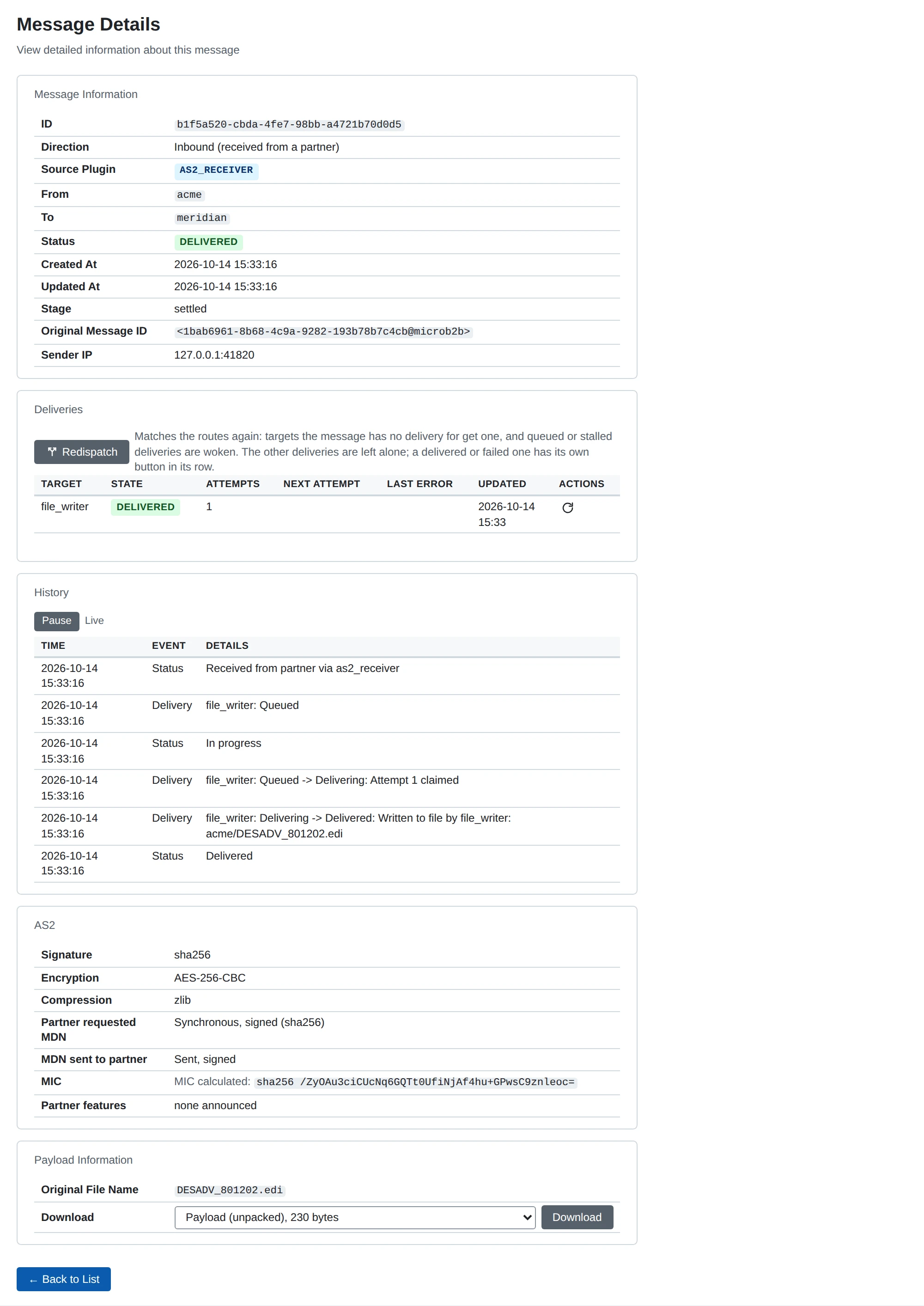
| Row | REST | Outgoing (we sent) | Incoming (the partner sent) |
|---|---|---|---|
| Signature | signature_algorithm | The digest algorithm we signed with (sha256, …) | The digest algorithm of the partner’s signature, read from the signature once it verified |
| Encryption | encryption_algorithm | The content encryption algorithm we encrypted with (AES-256-CBC, …) | The content encryption algorithm the message’s enveloped data names |
| Compression | compressed | zlib (the only AS2 compression) or None | The same |
An empty algorithm (None on the page) means the message was not signed or not encrypted; for an incoming message the page says None verified, since a signature that did not verify records no algorithm (the message is then Error with authentication-failed). The signature algorithm is not the MIC algorithm below, which an unsigned message has too.
Then the receipt:
| Outgoing (we sent) | Incoming (the partner sent) | |
|---|---|---|
| Asked for | MDN requested | Partner requested MDN |
| The receipt | MDN received from partner (signed or unsigned) | MDN sent to partner (signed or unsigned) |
| MIC | MIC sent and MIC returned by partner, marked when they differ | MIC calculated, the one in our MDN |
A value is not applicable when it cannot exist (no MDN was requested) and not known when it exists or will but we do not have it (the asynchronous MDN has not arrived, or the MDN was rejected before it could be read). In REST every MIC has a state of known, not_known, not_applicable or not_returned (the MDN was read and carries none).
The MDN itself is the message’s receipt payload stage: choose “Receipt” in the message page’s stage selector, or GET /api/v1/messages/{id}/payload?stage=receipt. It is the MDN as it travelled: its HTTP headers, a blank line and the body. A signed MDN is the whole multipart/signed entity and can be checked with openssl smime -verify. One MDN is kept per message, the first: the synchronous answer to our POST is kept even when rejected, an asynchronous callback only once its signature verifies and it names a message waiting for one.
Delivery and retries
A failed delivery (a TLS certificate that cannot be loaded, a connection error, a timeout, a non-2xx answer) is retried. The delivery is stored as a retry and the message becomes Retrying, and the wait before retry n is the Retry Base Delay × 2^(n-1), at most 30 minutes, plus up to half of that again at random so that failures do not retry in step. A partner’s Resend Interval replaces the backoff with a fixed wait. After the last allowed attempt the message is Error with max retries exceeded and the cause. The retry is stored with the delivery in the database, not held by the running sender, so it survives a restart: a stopped sender takes up its due retries when it starts.
A failure while the message is being built (no AS2 profile for the organization or the partner, a payload or signing or encryption certificate that cannot be loaded, an empty MDN Notification To) is not retried: the delivery fails and the message is Error with the reason, which is also its history line.
File names and content types
The name of the file a message came from travels with it (see Routing).
- Sending. The sender announces it in the
Content-Dispositionof the payload (attachment; filename="order 17.xml"), inside whatever is signed, compressed or encrypted. A name outside printable ASCII is sent as an ASCII approximation infilenameand exactly infilename*=UTF-8''...(RFC 6266). TheSubjectis the profile’s Subject regardless. - Receiving. The receiver reads the name from the
Content-Dispositionof the unwrapped payload (never the envelope’ssmime.p7m), understandingfilename*, quoted and bare names and RFC 2047 words. Only the last path component is kept (../../etc/passwdbecomespasswd); a name that is not usable after that is dropped. - Transfer encoding. A received payload is stored and delivered decoded: the request body per the HTTP
Content-Transfer-Encodingheader, and each part inside the message (the signed part, the decrypted and the decompressed content) per its own, so a partner that sends its payload part inbase64orquoted-printable(common with older stacks) delivers the bytes it sent.7bit,8bit,binaryand no header leave the content as it is; any other encoding, or content that is not valid in its encoding, is refused withunexpected-processing-error. The receipt’s MIC covers the part as it arrived, still encoded, as RFC 4130 asks. Sent messages are binary throughout, and the payload part says so (Content-Transfer-Encoding: binary): a part without it is read as 7bit, and an S/MIME verifier such as BouncyCastle (mendelson, OpenAS2) turns the bare line feeds of such a text part into CRLF before it hashes, so the signature of a payload with bare line feeds would not verify there. - Content type. A message whose original file name ends in an extension listed in Content Type by File Extension (
.edi = application/edifact; the extension is matched without regard to case and listed at most once) is sent as that type; any other as the Payload Content Type.
Repeated file names
A partner that names its files may want to hear when it sends a name it already sent: Drummond’s Filename Preservation profile with MDN responses (FN-MDN), which comes from banking. The receiver then neither hands the repeat on nor overwrites the file it has, and its MDN says why. Repeated File Names on the partner’s profile chooses:
- Accept (the default): file names are not checked.
- Accept with a warning: the message is dispatched like any other, and its MDN is
processed/warning: duplicate-filename. - Refuse: the message is not dispatched; it ends
Refusedwith the file name and the id of the message that holds it, and its MDN isprocessed/error: duplicate-filename, which a sender reads as “not accepted” (HTTP 400 when no MDN was requested).
A name counts as received for the Repeated File Name Window (24 hours unless set) from the latest message from this partner with that name that was not turned down, and is compared exactly (Order.xml is not order.xml). A refused message does not count, whether it was refused for its name or for anything else (a failed verification, a storage error), so the partner can send it again; a message that was only warned about was dispatched and does count. A message without a file name is never checked. A resend of the same message (same Message-ID, see Messages sent twice) is answered as a repeat of that message, never as a repeated file name. The check looks the name up among the stored messages and claims nothing, so two messages with the same name that arrive at the same moment may both be accepted.
The disposition modifier duplicate-filename follows RFC 4130’s own duplicate-document warning; Drummond gives its FN-MDN test specification to participants only, and that is what to check the wording against before a certification round.
Sources:
- Drummond AS2 testing and certification: the FN-MDN profile (“Duplicate File Name with MDN Responses (time based)”): no overwrite, no back-end processing, an MDN as the notification.
- Drummond AS2 2Q25 final report: the optional profiles; returning an MDN on a duplicate file name is configurable, as unique file names may be generated instead.
- draft-harding-ediint-filename-preservation-03 (datatracker, copy in
rfc/): theContent-Dispositionfile name; it defines no MDN for a duplicate (nor do -00 to -02). - RFC 4130 section 7.4.3:
processed/warning: duplicate-document, the pattern ofduplicate-filename. - Cleo Local Listener AS2 Service (a certified product): “Generate Filename Preservation MDN Responses”, a per-partner “Retain Filename History” (default 24 hours) and a “Duplicate Filename Action” of warning or error.
- Microsoft BizTalk: AS2 FileName preservation: how another product carries the received name to the back end.
Example: one partner, both directions
Organization mycompany exchanges files with partner acme. Assumes certificates 1 (ours, with key) and 2 (ACME’s) are uploaded, and the organization and partner exist with IDs 1.
API=http://localhost:8080/api/v1
AUTH="Authorization: Bearer $ACCESS_TOKEN"
JSON="Content-Type: application/json"

curl -X POST -H "$AUTH" -H "$JSON" $API/as2/local-profiles -d '{
  "local_organization_id": 1, "as2id": "MYCOMPANY",
  "certificate_id": 1,
  "mdn_notification_to": "as2@mycompany.example"}'

# Secure defaults; only the identity, endpoint and certificate are needed
curl -X POST -H "$AUTH" -H "$JSON" $API/as2/remote-profiles -d '{
  "business_partner_id": 1, "as2id": "ACME",
  "endpoint": "https://as2.acme.example/as2", "partner_certificate_id": 2}'

curl -X POST -H "$AUTH" -H "$JSON" "$API/plugins/configs?type=as2-receiver" -d '{
  "name": "receiver_main", "port": "4080"}'
curl -X POST -H "$AUTH" -H "$JSON" "$API/plugins/configs?type=as2-sender" -d '{
  "name": "sender_main"}'
curl -X POST -H "$AUTH" -H "$JSON" "$API/plugins/configs?type=file-poller" -d '{
  "name": "outbox", "base_directory": "/data/outbox", "processed_directory": "/data/processed"}'
curl -X POST -H "$AUTH" -H "$JSON" "$API/plugins/configs?type=file-writer" -d '{
  "name": "inbox", "base_directory": "/data/inbox",
  "filename_pattern": "{from}/{original_filename|message_id}"}'

# Outgoing: files in /data/outbox/acme/ go to ACME. Incoming: everything ACME sends is written.
curl -X POST -H "$AUTH" -H "$JSON" $API/routes -d '{
  "source_plugin": "outbox", "from": "mycompany", "to": "acme", "target_plugin": "sender_main"}'
curl -X POST -H "$AUTH" -H "$JSON" $API/routes -d '{
  "source_plugin": "receiver_main", "from": "acme", "to": "*", "target_plugin": "inbox"}'
Restart MicroB2B so the new instances start. ACME posts to http://<host>:4080/as2 with AS2-To: MYCOMPANY.
Troubleshooting
The message page shows the history of every message with the reason of each failure, and Logs shows what was logged about it; Troubleshooting covers the rest of the system. Common AS2 causes:
| Symptom | Cause |
|---|---|
| Not sure where a connection to a partner fails | Use Test Connection on the partner’s page: the check names the failing step and shows the certificate the server presented |
Outgoing message is Error; its history names MDN Notification To or MDN Receipt Delivery Option | Set it on the organization’s AS2 profile, or change Request MDN on the partner’s |
Outgoing message is Error; its history says no AS2 profile was found | The message’s from organization or to partner has no AS2 profile |
| Partner’s MDN refused, signature does not verify | The partner signs with a certificate that is not its Partner Certificate: add it to Additional Partner Certificates, or to Partner MDN Signature Certificates when MDNs are signed with a different certificate than messages |
Incoming message refused with authentication-failed | No Partner Certificate is set, or the partner signed with a certificate not on its profile |
Incoming message refused with insufficient-message-security | The partner sent unsigned or unencrypted while the profile requires it |
Incoming message refused with integrity-check-failed; the log says its Message-ID was used for a different message | The partner reused a Message-ID for a different message; its Message-IDs must be unique per message |
Incoming message refused with authentication-failed; the log says the signature was received before | A signed message already received was posted again under another Message-ID: a replay of a captured message, or a partner system that resends without signing again |
| Incoming message refused unread; the log names the AS2-To or AS2-From | AS2-To or AS2-From matches no organization or partner AS2 ID |
Partner reports 503 Service Unavailable; the log says the receiver is at its concurrency limit | More requests arrived at once than the receiver’s Max Concurrent Requests; the partner resends. Raise the cap when the database keeps up, or spread partners over more receiver instances (see Concurrent requests) |
| MIC returned by partner differs from MIC sent | The partner computed the MIC over other content than was sent; the message is Error, and the MDN can be downloaded from the message page |
| TLS handshake or certificate error to the endpoint | Add the partner’s CA or self-signed server certificate to Partner’s TLS Server Certificates; TLS 1.2 or newer is required |
The repository holds interoperability suites against pyAS2 (test/pyas2-interop) and OpenAS2 (test/openas2-interop, test/openas2-outbound-interop).